
Custom Display Manufacturing in China: A Complete Guide to Sourcing Screens
Whether you are developing an IoT device, a medical instrument, or consumer electronics, the display is often the most critical
The ESP32 is a powerful, low-cost, Wi-Fi and Bluetooth-enabled microcontroller that has become a favorite among IoT developers. Using it with the familiar Arduino IDE (Integrated Development Environment) combines simplicity with power. While the installation process is straightforward, network issues or configuration problems can sometimes get in the way.
This guide will walk you through the standard installation process for Arduino IDE 2025 and provide detailed solutions for common errors you might encounter.
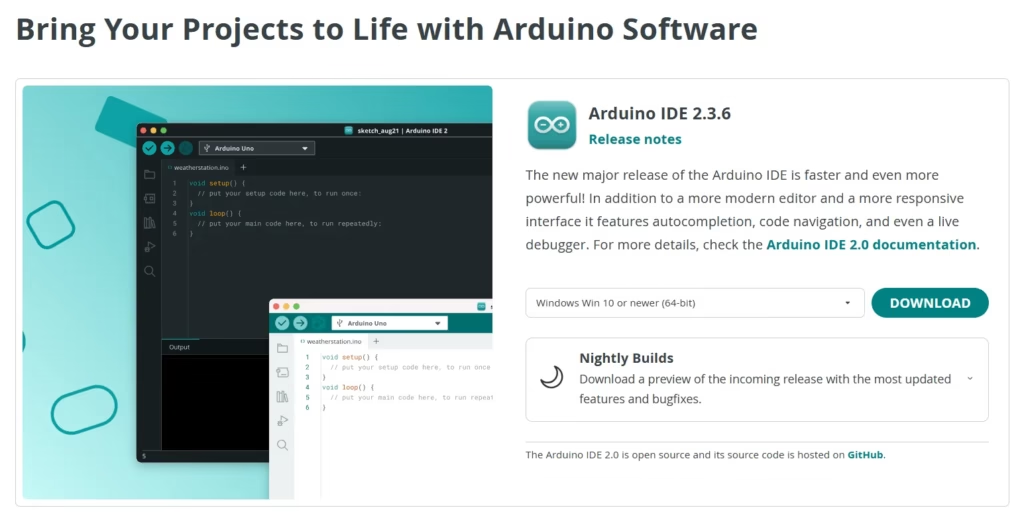
This is the recommended and easiest way to install the ESP32 core.
Open the Arduino IDE. Go to File > Preferences (Windows/Linux) or Arduino IDE > Settings (macOS).
In the “Additional boards manager URLs” field, paste the following URL:
https://raw.githubusercontent.com/espressif/arduino-esp32/gh-pages/package_esp32_index.json
https://espressif.github.io/arduino-esp32/package_esp32_index.json
https://espressif.github.io/arduino-esp32/package_esp32_dev_index.json
https://arduino.me/packages/esp32.json
If you already have other URLs in this field (e.g., for ESP8266), you can add this new one by clicking the button next to the field and adding it on a new line. Click OK to save.
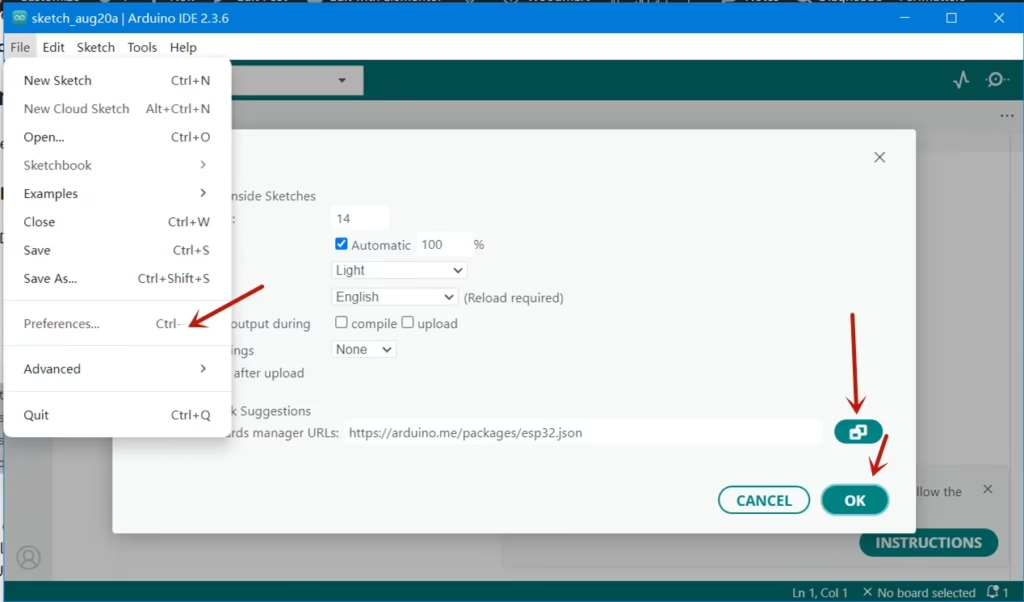
What I used is the URL https://arduino.me/packages/esp32.json, It’s very good for Chinese engineers.
You can also download the offline softwareto install the ESP32 on Arduino IDE if there are problems to install it.
Go to Tools > Board > Boards Manager….
In the search bar of the Boards Manager, type esp32. The result “ESP32 by Espressif Systems” should appear. Click on it and then click the Install button. The installation will take a few minutes as the IDE downloads the compiler tools, libraries, and definitions for all ESP32 variants.
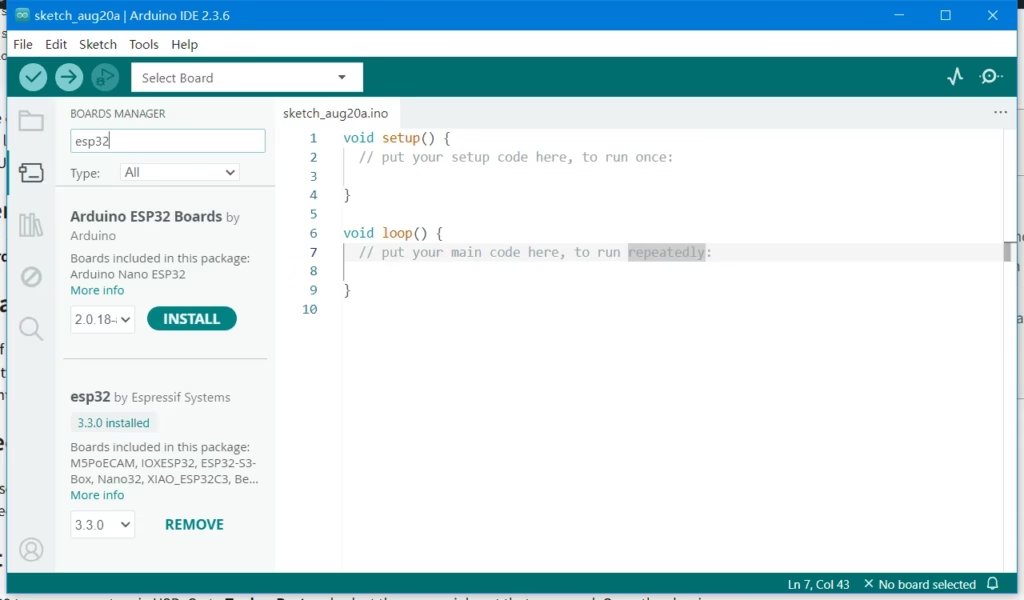
Once installed, close the Boards Manager. Go to Tools > Board. You should now see a new section for “ESP32 Arduino”. Expand it and select your specific ESP32 board (e.g., “ESP32 Dev Module” is a common generic choice).
Connect your ESP32 to your computer via USB. Go to Tools > Port and select the new serial port that appeared. Open the classic Blink example: File > Examples > 01.Basics > Blink. Before uploading, change the LED pin to GPIO 2 (for most ESP32 boards):
const int ledPin = 2; // Change from 13 to 2
Click the Upload button. If successful, the code will compile and upload, and the LED on your ESP32 will start blinking.
Congratulations! If you’ve reached this point without issues, your ESP32 is successfully installed and ready to use!
This is the most common issue, often caused by network restrictions, firewalls, or GitHub’s CDN.
arduino-esp32.zip file (do not download the “Source code” zip)Arduino15/packages/ in that folder (create folders if they don’t exist)esp32/hardware/esp32/esp32 folderhttps://espressif.github.io/arduino-esp32/package_esp32_index.json https://arduino.me/packages/esp32.json
Then try installing again from the Boards Manager.
This error happens after code upload, meaning the IDE can’t communicate with the chip to flash it.
This error means the IDE can’t read the JSON file from the URL you provided.
The ESP32 build process relies on Python. Modern Arduino IDE versions usually include it, but sometimes conflicts occur.
Once you’ve resolved any issues, follow these steps to confirm everything is working:
2Congratulations! You have successfully installed the ESP32 core on Arduino IDE 2025 and are ready to start your IoT projects. The platform offers a vast collection of examples and libraries to explore, from connecting to Wi-Fi to using Bluetooth and various sensors.
If you continue to experience issues after trying these solutions, consider asking for help on the ESP32 Forum or the Arduino Forum, where you can often get personalized assistance from the community.
======================================
No account yet?
Create an Account