
Custom Display Manufacturing in China: A Complete Guide to Sourcing Screens
Whether you are developing an IoT device, a medical instrument, or consumer electronics, the display is often the most critical
The Inter-Integrated Circuit (I2C) protocol is the silent workhorse behind countless ESP32 projects, enabling a single microcontroller to communicate effortlessly with a network of sensors, displays, and other peripherals. While seemingly straightforward—just two wires!—mastering its nuances is what separates functional prototypes from robust, reliable devices. Based on extensive hands-on experience integrating dozens of I2C sensors into commercial and hobbyist projects, I’ve compiled this definitive guide. We’ll move beyond basic connections to explore the ESP32‘s dual I2C bus architecture, solve the challenge of identical device addresses, and provide professional-grade code patterns that ensure your projects work not just on the bench, but in the field.
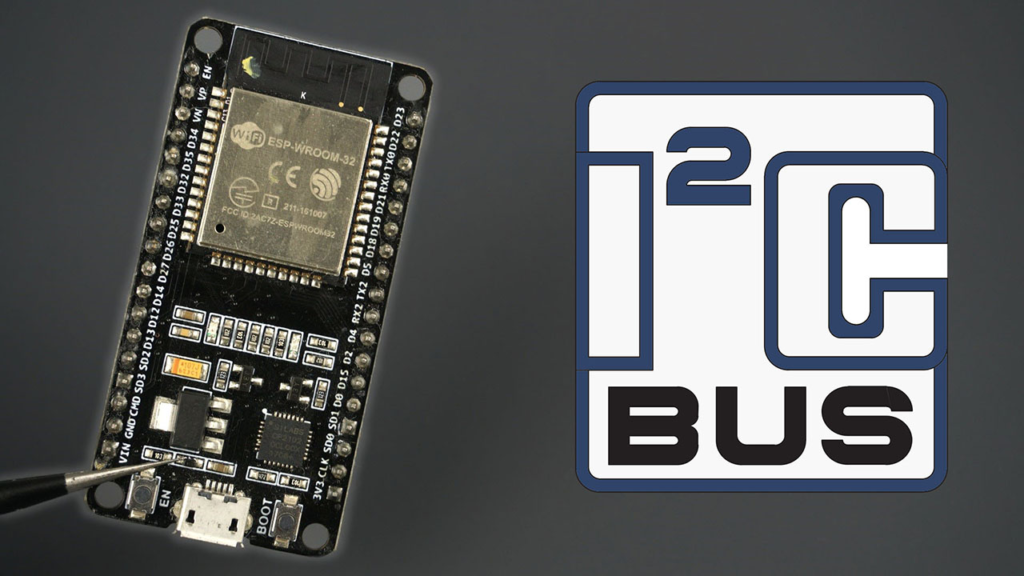
I2C is a synchronous, multi-master, multi-slave serial communication bus. Its elegance lies in its simplicity: a Serial Data Line (SDA) for data and a Serial Clock Line (SCL) for synchronization. Each device on the bus has a unique 7-bit or 10-bit address, allowing the master (your ESP32) to select which slave to talk to.
For the ESP32, this protocol is indispensable. According to Espressif’s technical documentation, the chip’s I2C controller supports:
A Critical Hardware Note: I2C is an open-drain bus. This means the pins can only pull the line low; they cannot drive it high. Therefore, external pull-up resistors are mandatory to bring the lines to a logic high state (3.3V for ESP32). Typical values range from 2.2kΩ to 10kΩ. While many breakout modules include these resistors, connecting multiple devices or using long wires often requires additional, stronger pull-ups on the main bus. Forgetting this is a leading cause of intermittent communication failures.
One of the ESP32‘s greatest strengths is its GPIO matrix, which allows peripheral signals to be routed to almost any pin.
By convention and default in the Arduino Wire library:
Important: These are the defaults, but you are not bound to them. On some board variants (like certain ESP32-S3 models), these default pins might be used for other purposes. Always check your specific board’s pinout.
You are free to assign SDA and SCL to most other GPIOs. Here is the correct method, which avoids common pitfalls found in outdated tutorials:
#include <Wire.h>
// Define your custom pins
#define CUSTOM_SDA 33
#define CUSTOM_SCL 32
#define I2C_FREQ 400000 // 400 kHz
void setup() {
// Initialize I2C communication on the custom pins
Wire.begin(CUSTOM_SDA, CUSTOM_SCL, I2C_FREQ);
}
Critical Advice for Library Use: Many sensor libraries (Adafruit, SparkFun) instantiate their own Wire object. To use custom pins with them, you must pass your configured Wire instance to the library’s begin() function. The original guide’s example using a separate TwoWire object for a BME280 is the correct professional pattern for ensuring pin control isn’t overwritten.
Before writing any application code, always run an I2C scanner. This simple sketch interrogates all 127 possible addresses and reports any connected devices. It is your primary diagnostic tool and confirms wiring, power, and pull-up resistors are correct.
#include <Wire.h>
void setup() {
Wire.begin(); // Or use your custom pins
Serial.begin(115200);
Serial.println(“\nESP32 I2C Scanner”);
}
void loop() {
byte error, address;
int foundDevices = 0;
Serial.println(“Scanning…”);
for(address = 1; address < 127; address++) {
Wire.beginTransmission(address);
error = Wire.endTransmission();
if (error == 0) {
Serial.printf(“Device found at address 0x%02X\n”, address);
foundDevices++;
} else if (error == 4) {
Serial.printf(“Error at address 0x%02X\n”, address);
}
}
if (foundDevices == 0) {
Serial.println(“No I2C devices found. Check wiring/pull-ups.”);
}
delay(5000);
}
Common Scanner Results & Solutions:
The ESP32 possesses two independent I2C hardware controllers. This is a game-changer for:
The predefined Wire object uses I2C0. To use the second bus (I2C1), you must create your own TwoWire instance.
#include <Wire.h>
// Bus 0 (Default ‘Wire’): for Device A
#define SDA_0 21
#define SCL_0 22
// Bus 1 (Custom): for Device B
#define SDA_1 26
#define SCL_1 27
#define FREQ_1 100000 // 100 kHz
TwoWire I2Cone = TwoWire(0); // References controller 0, same as ‘Wire’
TwoWire I2Ctwo = TwoWire(1); // References controller 1
Adafruit_Sensor_Type deviceA;
Adafruit_Sensor_Type deviceB;
void setup() {
// Initialize Bus 0
I2Cone.begin(SDA_0, SCL_0);
deviceA.begin(0x76, &I2Cone); // Pass the bus instance to the library
// Initialize Bus 1 with a custom frequency
I2Ctwo.begin(SDA_1, SCL_1, FREQ_1);
deviceB.begin(0x68, &I2Ctwo); // Same address? No conflict now!
}
Performance Note: While the GPIO matrix offers flexibility, for very high-speed I2C (1 MHz), use the default pins associated with the I2C controller. The matrix introduces slight delays. For most applications (≤400 kHz), any GPIO will work perfectly.
A major limitation of I2C is address conflicts. You cannot directly connect two devices with the same fixed address (e.g., two identical OLED displays at 0x3C) to the same bus.
Check your sensor’s datasheet. Many chips (like the BNO055 IMU or TCA9548A multiplexer itself) have configurable address pins (AD0, AD1, etc.). Tying these pins High or Low changes the I2C address.
When hardware addressing isn’t an option, an I2C multiplexer like the TCA9548A is the professional solution. It acts as a switch, allowing your single ESP32 I2C port to talk to up to 8 identical devices.
Wiring & Code Pattern:
#include <Wire.h>
#include <Adafruit_TCA9548A.h>
Adafruit_TCA9548A mux;
Adafruit_BME280 bme1, bme2; // Two identical sensors
void setup() {
Wire.begin();
mux.begin(0x70); // Default TCA9548A address
// Select channel 0 on the mux
mux.selectChannel(0);
bme1.begin(0x76); // BME280 at default address
// Select channel 1 on the mux
mux.selectChannel(1);
bme2.begin(0x76); // Another BME280 at the same default address!
}
void loop() {
mux.selectChannel(0);
float temp1 = bme1.readTemperature();
mux.selectChannel(1);
float temp2 = bme2.readTemperature();
// Now you have readings from two identical sensors.
}
1. Pull-Up Resistor Calculation: Don’t guess. Use the formula: R_pullup = (Vcc – 0.4) / (3 mA) for standard mode. For a 3.3V bus, this yields about 2.9kΩ. A 3.3kΩ or 4.7kΩ resistor is a safe, common choice. Lower resistance = stronger pull-up = faster edges but higher current.
2. Bus Capacitance & Long Wires: I2C is designed for short, on-board communication. Long cables add capacitance, which rounds signal edges and causes failure. Solutions:
– Reduce bus speed (Wire.setClock(10000) for very long runs).
– Use specialized I2C extender chips (like P82B715) for bus reinforcement.
– Implement error handling and retries in your code.
3. Robust Code with Error Handling:
bool readSensor(Adafruit_Sensor &sensor, float &output, uint8_t maxRetries = 3) {
for (int i=0; i<maxRetries; i++) {
output = sensor.readValue(); // Your read function
if (!isnan(output)) { // Check for valid reading
return true;
}
delay(5); // Short delay before retry
}
Serial.println(“Sensor read failed after retries.”);
output = 0.0;
return false;
}
4. Power Sequencing: Some I2C devices are sensitive to power-up order. Ensure your 3.3V rail is stable before the ESP32 starts communicating. Adding a short delay(100) in setup() can prevent cryptic startup failures.
Mastering I2C on the ESP32 transforms it from a simple microcontroller into the command center of a sophisticated sensor network. The key takeaways are:
By applying these principles—forged through real-world project deployment—you move beyond following tutorials to designing resilient, professional-grade ESP32 systems. The I2C bus, when properly understood and managed, becomes a reliable highway for your data, enabling the complex, interconnected IoT applications that make the ESP32 so powerful.
======================================
No account yet?
Create an Account